Freighter Wallet App: A Practical Guide to Navigating Stellar’s Non-Custodial Ecosystem
Freighter Wallet App: Your Gateway to the Stellar Ecosystem
The world of digital assets has expanded far beyond simple transfers. Today, users interact with decentralized applications, manage tokenized assets, and participate in a global financial network. For those operating on the Stellar network, one tool has become essential: the freighter wallet app. This non-custodial wallet is designed to bridge the gap between everyday users and the growing ecosystem of Stellar-based applications. Whether you are sending USDC, managing XLM, or exploring new decentralized services, Freighter provides a secure and streamlined interface that puts you in control. In this article, we will explore the core features, security architecture, and practical benefits of using Freighter, helping you understand why it stands out in the crowded field of cryptocurrency wallets.
What Makes Freighter Different from Other Crypto Wallets?
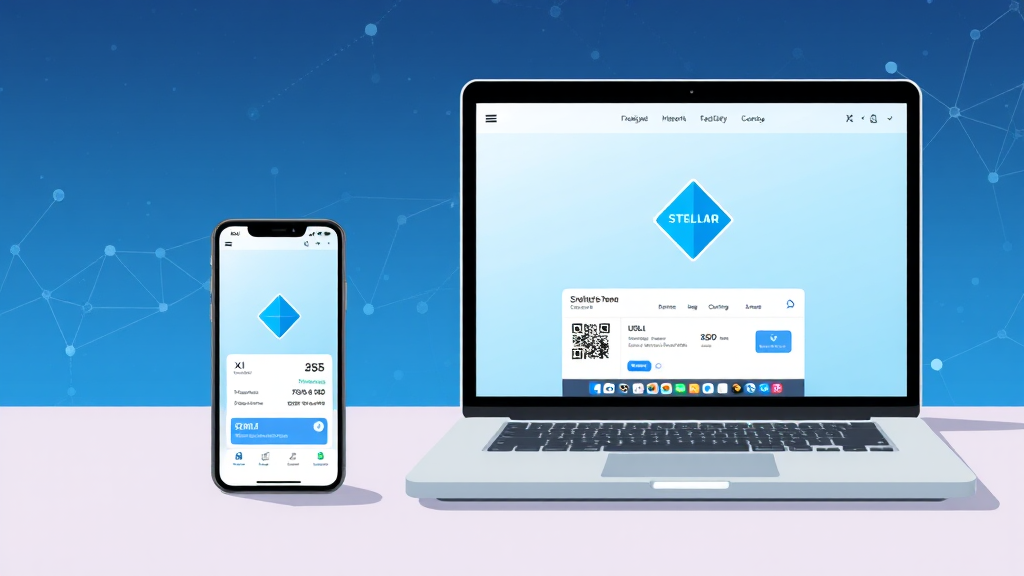
Most cryptocurrency wallets focus solely on storing and transferring assets. While Freighter certainly excels at these tasks, its true value lies in its deep integration with the Stellar ecosystem. It is not just a wallet; it is a browser for Stellar apps. This means you can connect directly to a wide range of decentralized applications (dApps) built on Stellar, from lending protocols and payment platforms to NFT marketplaces and identity tools. The wallet acts as your secure gateway, allowing you to interact with these apps without needing to manage private keys on each platform. This approach is reminiscent of how MetaMask serves the Ethereum network, but Freighter is purpose-built for Stellar, offering a more tailored and efficient experience for Stellar users. The freighter wallet is available as a browser extension and a mobile app, ensuring you can access your assets and dApps from almost any device.
Core Features: Send, Receive, and Manage Stellar Assets
At its core, Freighter provides a straightforward yet powerful interface for managing your Stellar assets. The wallet supports a wide range of tokens, including the native XLM and popular stablecoins like USDC. Sending and receiving assets is as simple as entering the recipient’s public address or scanning a QR code. The transaction process includes a clear breakdown of fees and allows you to specify a memo, which is often required by exchanges and other services. Freighter also displays your full transaction history, making it easy to track your activity. Beyond basic transfers, the wallet supports the creation and management of custom assets, which is particularly useful for businesses or developers issuing their own tokens on the Stellar network. You can also manage trustlines, which are essential for holding non-native assets. This level of control is a hallmark of non-custodial wallets, and Freighter executes it with a clean, user-friendly design.
Security: Your Keys, Your Assets
Security is the cornerstone of any reputable cryptocurrency wallet, and Freighter takes a non-custodial approach. This means that your private keys are generated and stored locally on your device, never on a centralized server. When you create a new wallet, you are given a 12-word recovery phrase (also known as a seed phrase). This phrase is the only way to restore your wallet if you lose access to your device or need to switch to a new one. It is crucial that you write this phrase down and store it in a safe, offline location. Freighter does not have access to your keys and cannot recover them for you. This design eliminates the risk of a server breach compromising your funds. The wallet also uses encryption to protect your local data, and for transactions, you must approve each one manually. Browser extensions and mobile apps are both susceptible to malware, but Freighter follows best practices to minimize risks, such as never exposing your private key to any website or dApp you connect to. Instead, each transaction is signed locally, and only the signed transaction is sent to the network.
Connecting to Stellar Apps: A Seamless Experience
One of the most compelling reasons to use Freighter is its ability to act as a universal connector for Stellar dApps. When you visit a website that supports Freighter, you will see a “Connect” button that allows you to authorize the app to read your public address and request transaction signatures. This process is transparent and secure. You are always in control of which apps can see your wallet and what actions they can propose. For example, you might use a Stellar-based lending platform to earn interest on your USDC. Once connected, you can deposit your assets directly from your wallet, view your balance, and claim rewards, all without leaving the dApp interface. Freighter handles the underlying transaction signing seamlessly. This integration has led to the growth of a vibrant ecosystem of Stellar apps, from payment gateways to decentralized exchanges (DEXs). The wallet’s built-in asset explorer makes it easy to find and add new tokens, and its network switcher lets you move between the public Stellar network and test networks, which is invaluable for developers.
User Experience and Interface
Freighter is designed with both beginners and advanced users in mind. The interface is clean, intuitive, and free of clutter. The main dashboard displays your total balance, a list of your assets, and quick access to send and receive functions. The transaction history is presented in a readable format, showing the type, amount, and status of each transaction. For newcomers, the wallet provides helpful tooltips and guides. For power users, there are advanced settings, such as the ability to adjust transaction fees and set a custom network. The browser extension is lightweight and does not slow down your browsing experience. The mobile app offers the same functionality, with a touch-optimized interface. Freighter also supports hardware wallet integration, allowing you to connect a Ledger device for an additional layer of security. This flexibility ensures that you can choose the level of security that matches your needs. Whether you are a daily user or a long-term holder, Freighter’s interface makes managing your Stellar assets a pleasant experience.
Potential Drawbacks and Considerations
While Freighter offers numerous advantages, it is important to consider potential limitations. As a non-custodial wallet, the responsibility of securing your recovery phrase falls entirely on you. If you lose it, your assets are irretrievable. Additionally, because Freighter is specifically designed for the Stellar network, it does not support assets from other blockchains, such as Bitcoin or Ethereum. This means you will need to use separate wallets for those assets. However, this specialization is also a strength, as it allows Freighter to focus on optimizing the Stellar experience. Another consideration is that the ecosystem of Stellar dApps is smaller than that of larger networks like Ethereum, but it is growing steadily. For most users, these trade-offs are acceptable given the security and functionality that Freighter provides.
Frequently Asked Questions
Is Freighter a custodial wallet?
No, Freighter is a non-custodial wallet. This means you have full control over your private keys and recovery phrase. Freighter does not store your keys on any server, and you are the only person who can access your funds.
Can I use Freighter on mobile?
Yes, Freighter is available as a mobile app for iOS and Android devices. This allows you to manage your Stellar assets and interact with dApps on the go. The mobile app offers the same core features as the browser extension.
What assets does Freighter support?
Freighter supports the native Stellar asset, XLM, as well as any other token issued on the Stellar network, including popular stablecoins like USDC. You can add new assets by establishing a trustline to the token’s issuer.
How do I connect Freighter to a Stellar app?
To connect, simply visit a website that supports Freighter and click the “Connect” button. A popup will appear asking for your permission to connect. Once you approve, the app will be able to read your public address and request transaction signatures.
What should I do if I lose my recovery phrase?
If you lose your recovery phrase, you will lose access to your wallet permanently. There is no way to recover it. It is essential to store your recovery phrase in a secure, offline location and never share it with anyone.
Readers who are interested in this topic will benefit from exploring multiple perspectives and understanding the nuanced approaches that industry leaders recommend. Taking time to research thoroughly ensures better outcomes and more informed decision-making.
Those looking to gain deeper knowledge in this area should consider following expert analysis, staying updated with the latest developments, and engaging with professional communities where these topics are discussed in detail.
A comprehensive understanding of this subject requires looking at both theoretical foundations and practical applications. By combining study with hands-on experience, learners can develop a well-rounded perspective that serves them well in real-world scenarios.
As the landscape continues to shift and evolve, staying informed about emerging trends and best practices becomes increasingly valuable. This ensures you remain competitive and capable of adapting to new challenges as they arise.